Polar Dishes
The quick version
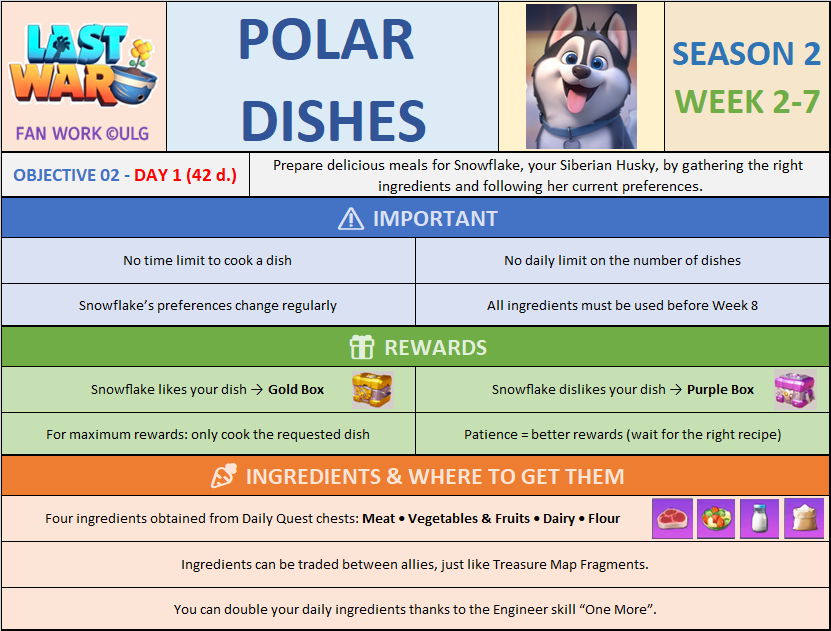
Read Snowflake's request, open Recipe, and make that exact four-ingredient dish. The requested recipe gives a Gold Box; any other combination gives the lower Purple Box.
When it runs
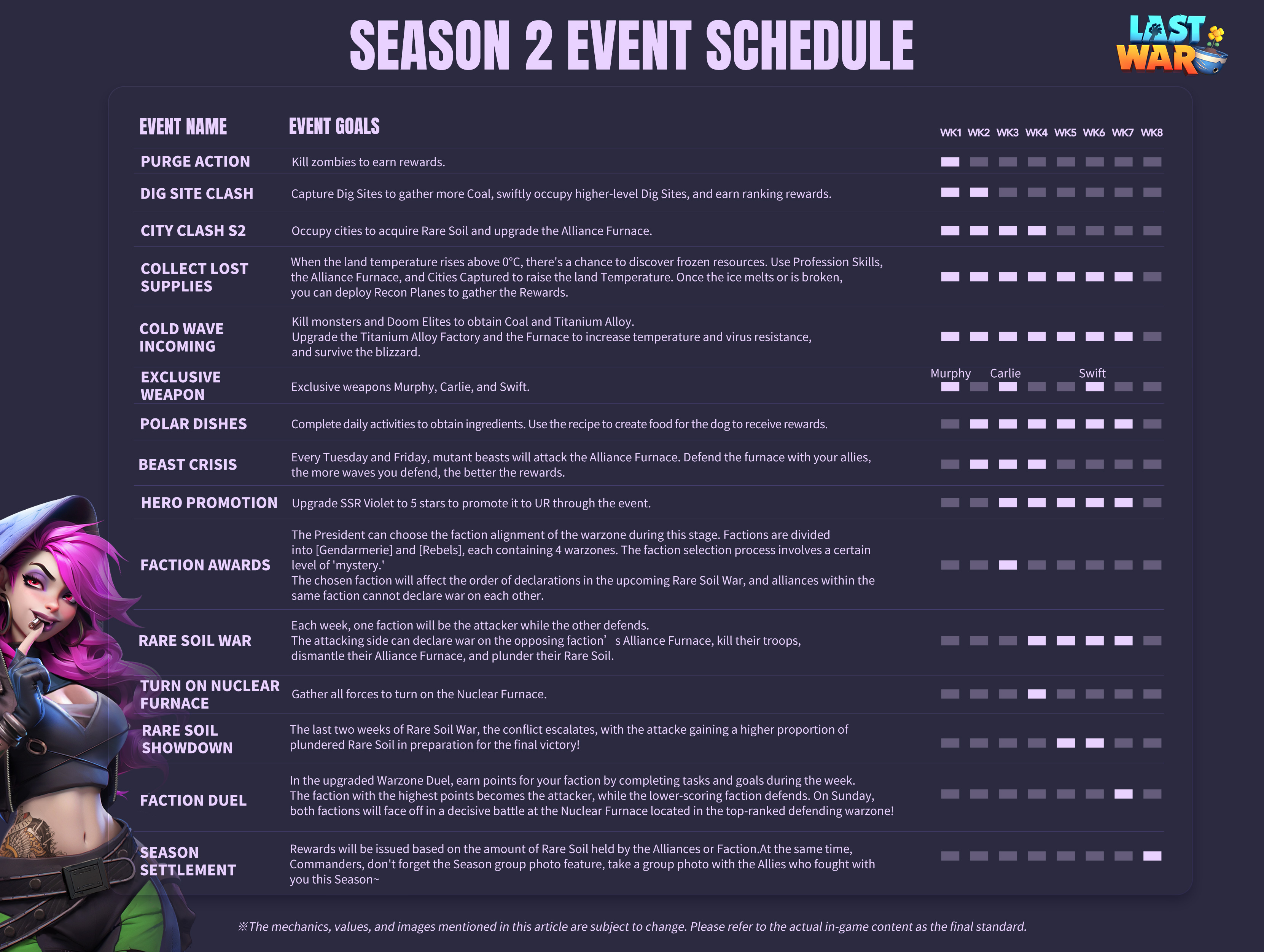
The official Season 2 schedule places Polar Dishes in Weeks 2–7. Use every remaining ingredient before Week 8 begins because cooking closes when Week 8 starts.
How recipes work
This is a four-slot recipe game. Snowflake names the dish he currently wants. Tap Recipe in the upper-right corner to see the exact four ingredients for that dish. For example, the Bread Roll shown in the event walkthrough requires two Flour and two Dairy.
Ingredients come from Daily Task milestone chests: Meat, Veggies and Fruits, Special Dairy, and Flour. The final milestone chest gives an Ingredient Choice Box. A recipe can require two or more of the same ingredient, so the ingredients earned that day may not match the current recipe.
What to do
- Collect the ingredient rewards from the Daily Task milestone chests.
- Open Polar Dishes and read the dish in Snowflake's speech bubble.
- Tap Recipe and note the exact ingredients and quantities shown.
- Compare the recipe with the ingredients at the bottom of the screen.
- If something is missing, tap Trade Ingredients. Offer a spare ingredient for the one you need, or accept a matching offer under Allies Exchange.
- Use the Ingredient Choice Box only after trading, to fill the final shortage.
- Put the exact recipe into the four tray slots and tap Craft.
- Check Recipe again before the next craft because Snowflake's request can change.
There is no cooking timer and no daily crafting limit, so do not knowingly accept a Purple Box. Wait for a trade or another ingredient chest.